Depot Registry
The Depot Registry is an OCI-compliant container registry for storing, managing, and distributing container images and artifacts. You can use it with container builds as a lightweight ephemeral store for build output, and as a full primary registry for all your images.
See the quickstart to get started.
How it works
Each Depot organization gets its own registry subdomain:
{orgId}.registry.depot.devYou can push any image or OCI artifact to any repository name you choose:
docker push {orgId}.registry.depot.dev/your/app:v1You can also get images into the registry directly from a Depot build by passing --save to depot build. Depot stores the result under a project-scoped repository automatically, no tagging step required.
Depot Registry is backed by a global CDN to distribute layer blobs efficiently, making it significantly faster to pull and push large images regardless of where you're located.
If you want to distribute images across multiple registries, use depot push to copy an image from Depot Registry to another registry. The transfer happens directly from Depot infrastructure to your target registry, skipping your local machine entirely.
You can also use depot pull to download any image from Depot Registry into your local, CI, or production environment.
CDN speed
The registry can serve image layers at one of two speeds:
- Standard: The default. You pay nothing for transfer, in or out.
- Fast: Serves layer blobs through Depot's accelerated CDN. You pay $0.10/GB for transfer out.
CDN speed is organization-wide and only organization owners can change it.
To change the speed, switch CDN speed on your Registry settings page.
To see how much data you're transferring, find Registry CDN Data Transfer under Storage & Transfer on the organization usage page.
Browsing repositories
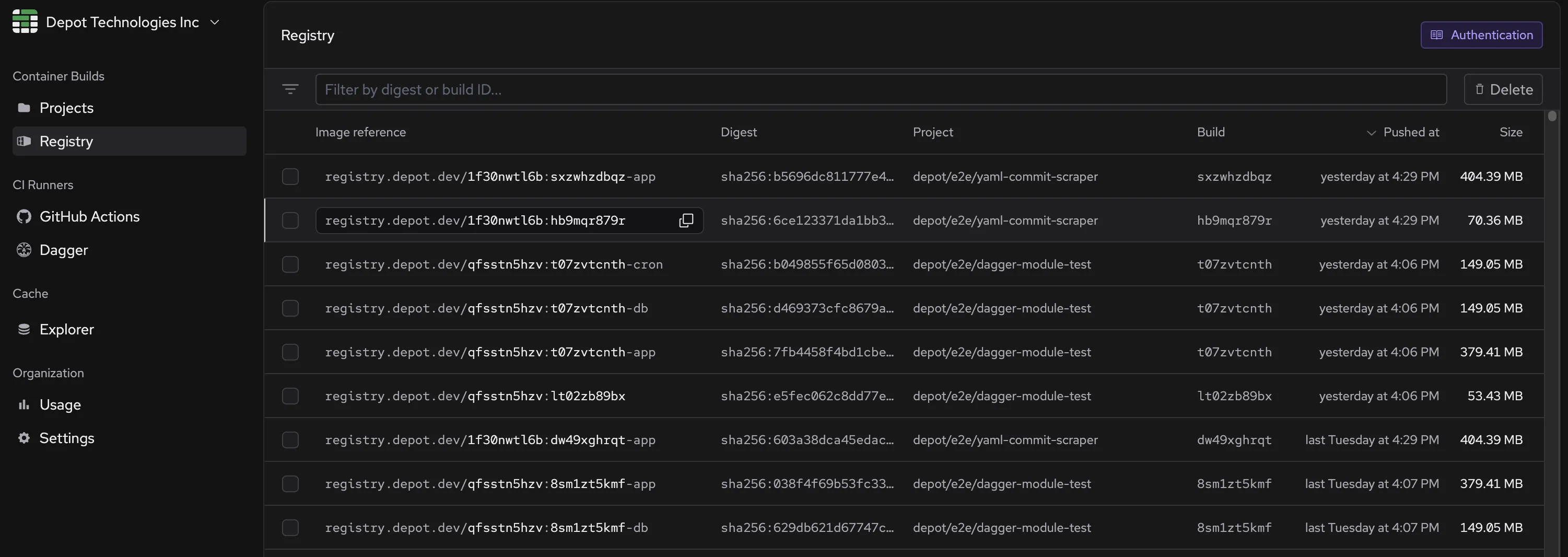
The Registry page in the Depot dashboard lets you browse all your repositories by name. From there you can explore manifests by tag or digest, view artifact metadata and platforms, inspect attestations, and see linked build details for project-scoped images.
Use cases
Depot Registry works for a variety of use cases:
Primary registry: Use Depot Registry as your primary container registry for all your images, including ones you're not building with Depot.
Ephemeral build store: Automatically save build output during depot build --save and pull it down wherever you need it.
Local development: Pull images directly to your local machine for testing and development. The global CDN ensures fast downloads regardless of your location.
Cross-environment consistency: Build an image once on Depot, save it to the registry, then promote that same image across development, staging, and production without rebuilding.
OCI artifacts: Store any OCI-compliant artifact, including Helm charts and AI models, not just container images.
Depot CI custom images: Snapshot a Depot CI sandbox with your tools and dependencies pre-installed and store it in the registry. Jobs that use the snapshot skip setup entirely, speeding up your CI. See Build and use custom images.
Working with large images: The global distribution mechanism makes pulling and pushing large images fast. The registry supports artifacts up to 50GB.
Pull-through cache
Depot Registry can proxy pulls from an external registry, caching layers on its CDN so subsequent pulls skip the external hop entirely. Common uses include accelerating CI image pulls, distributing images globally without managing your own CDN, and simplifying access to registries with complex authentication (like Google Artifact Registry).
For configuration details and supported providers, see Pull-through cache.
Authentication and permissions
Depot Registry authenticates with the same token types used across the rest of the Depot platform. All token types provide both push and pull access except for pull tokens, which are read-only. You can use the following types of tokens for registry authentication:
- User access tokens: Full push and pull permissions for any project in any organization you have access to
- Project tokens: Full push and pull permissions for the specific project they're associated with
- Organization tokens: Full push and pull permissions for any repository within the organization
- Trust relationship tokens: Full push and pull permissions for the project when issued via OIDC trust relationships
- Pull tokens: Read-only, short-lived access for pulling images only (generated via
depot pull-token --project <project-id>)
Authentication for the Docker CLI
To use Depot Registry with Docker CLI tools, authenticate using a Depot token. Set the username to x-token and the password to your chosen token:
docker login {orgId}.registry.depot.dev -u x-token -p <depot-token>Pricing
Depot Registry is included in all plans. Registry storage counts toward the same included storage amount as your container build cache and Depot Cache, which is 25 GB on Developer and 250 GB on Startup. Storage above the included amount is billed at $0.20/GB/month.
Data transfer, both in and out, is free on the default Standard CDN speed. On Fast CDN speed, data served out of the registry is billed at $0.10/GB from the first GB, with no included allowance.
See the pricing page for plan details.
Image retention
Retention limits are opt-in for tagged images. You can add a retention rule when you create a repository or at any time afterwards from the repository's settings in the Registry.
Each repository can have up to two rules, one for tagged manifests and one for untagged manifests. Under Retention Policy, click Add rule and choose:
- Tagged manifests: set Keep days to retain images for 1 to 30 days, or Keep count to retain the most recent 1 to 1000 images. Keeping by count is useful for reducing storage costs when you care more about keeping the most recent versions than keeping images for a fixed duration.
- Untagged manifests: set Keep days to retain them for 1 to 30 days, or leave Use default, which keeps them for 3 days.
Keep days is measured from the time a manifest was pushed, not from the last time it was pulled. Pulling an image doesn't extend its lifetime, so a manifest you pulled an hour ago is still deleted once it's older than the Keep days value.
For images saved from a build with depot build --save, set retention on the project instead of the repository. In the project's Settings tab, Image Retention Policy accepts 1, 7, 14, or 30 days, and defaults to Unlimited.
You can also individually delete manifests from a repository in the Registry.
Storage usage drops about a day after a deletion
Deleting a manifest, either yourself or through a retention rule, removes it from the repository right away. It might take a full day or a bit longer for the deletion to reflect in your storage usage. The layers the manifest referenced are reclaimed by a background process that, depending on when the layers were last accessed, can take up to 31 hours to delete them.
Layers shared with a manifest you still have are never reclaimed, so deleting one tag of a set of similar images may free very little.