Use egress filters for GitHub Actions runners
Configure egress filtering to control which external services your GitHub Actions runners can connect to by blocking or allowing connections at the network level. Egress filtering helps prevent data exfiltration and reduces the attack surface of your CI infrastructure.
Configuration
Configure egress rules on your organization's settings page, in the GitHub Actions Runners section under Egress Rules.
By default, Depot runners allow outbound connections to any external service. You can set the default rule (target *) to either Deny or Allow. You can add more rules to allow or deny connections to specific IPs, CIDRs, or hostnames.
The following example shows a set of rules to get a Docker build with Golang working:
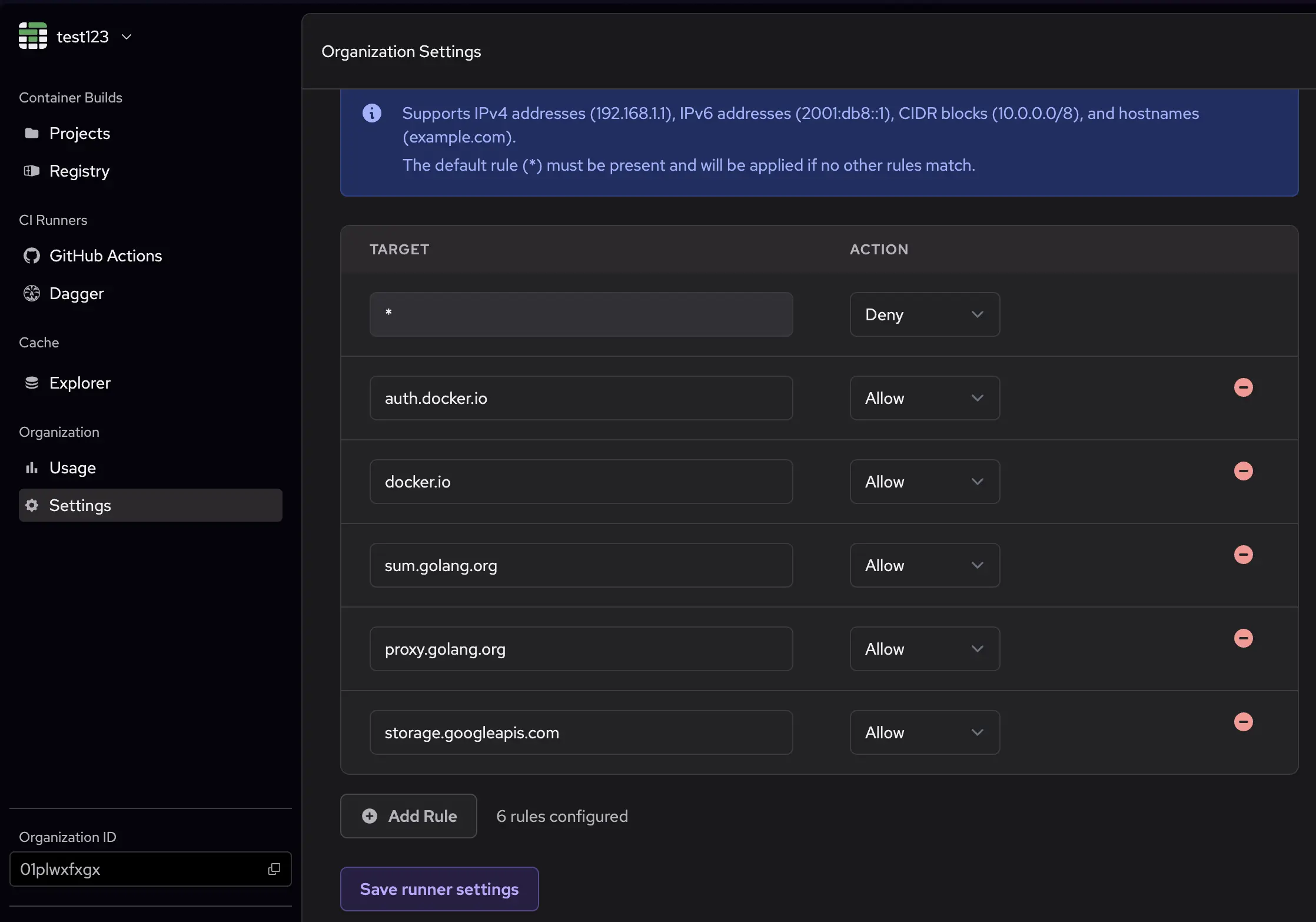
This example first applies a blanket deny rule, which blocks all outbound connections by default. Then, it allows connections to the following:
auth.docker.ioanddocker.iofor Docker Hub authentication and registry accesssum.golang.organdproxy.golang.orgfor Go modules and proxy accessstorage.googleapis.comfor Google Cloud Storage access
How the runner applies the rules
The runner applies the filtering rules in the following order:
- Allow all loopback traffic (127.0.0.1, ::1) to prevent breaking localhost services.
- Apply Deny rules: denied IPs and CIDR blocks take precedence.
- Apply Allow rules: explicitly permitted IP addresses and CIDR blocks.
- Apply the default policy (ALLOW or DENY) to all other traffic.
When you specify a hostname in your rules, it's resolved to IP addresses and pinned in /etc/hosts to ensure consistent filtering.
Pre-configured rules
To ensure that runners can still connect to necessary services, we automatically add certain IPs and hosts to the allowlist:
- depot.dev domains
- GitHub Actions service IPs
- AWS service IPs
Container builds with depot build also work with egress filtering enabled. Depot dynamically adds BuildKit machine IPs to the allowlist as they're allocated.
Limitations
Keep the following limitations in mind when you use egress filtering:
- You can't use Tailscale with egress filters because each modifies the network config in incompatible ways.
- Any process with root access can modify the egress filter rules. Ensure that untrusted processes don't run with higher privileges than necessary.
- The egress filter is currently supported only on Linux runners.