Use Claude Managed Agents with Depot sandboxes
Run Claude Managed Agents for your application or automated workflow with tool execution in Depot sandboxes. Anthropic manages the agent loop, and Depot runs your agent's commands and file operations. View run status, timing, and failure details in your Depot dashboard.
How it works
A self-hosted environment for Claude Managed Agents runs tool calls on compute you choose while Anthropic manages the agent.
You configure an agent's model, instructions, and tools in the Claude Console or API. Start a session with that agent and a self-hosted environment connected to Depot.
Anthropic queues the session. Depot checks the queue and starts an environment worker in a sandbox. Anthropic runs the agent loop and requests tool calls. The worker executes commands and file operations, then sends the results back to Anthropic.
Tool inputs and outputs flow to Anthropic so Claude can decide what to do next. See Anthropic's self-hosted sandboxes guide for details.
What's the difference between Claude Code and Claude Managed Agents on Depot?
- Claude Code: Use Claude's web, desktop, or mobile interface for coding tasks. Depot runs the agent loop and tools. Follow the Claude Code guide.
- Claude Managed Agents: Build agents for applications or automated workflows. Anthropic runs the agent loop and Depot executes commands and file operations.
Get started
Prerequisites
Before you start, you need:
- A Depot account with the Owner role in your Depot organization.
- A Claude workspace with Managed Agents access and an agent configured with command and file tools. If you don't have an agent, follow Anthropic's Managed Agents quickstart.
Create your environment and get credentials
Get an API key, an Environment key, and an Environment ID from the same Anthropic workspace.
- In the Claude Console, select the workspace that contains your agent.
- In Environments, create an environment with a Name and Hosting set to Self-hosted.
- Save the environment's Environment ID, which starts with
env_. - Click Generate environment key and save the key.
- In API keys, create a key scoped to the same workspace. Under Linked account, select a service account. Save the API key.
A service account keeps the connection independent of any one person's account. Ask your Anthropic administrator to provision one if none is available.
Depot keeps the API key outside the sandbox. The worker uses the environment key to connect to Anthropic.
Connect Depot to your Claude Managed Agents environment
- Open Settings > Connections > Agent providers in Depot and select Anthropic.
- Enter your API key in API key.
- Enter your environment key in Environment key.
- Enter your environment ID in Environment ID.
- Click Connect.
Depot shows Connected to Anthropic when the connection succeeds.
Choose a sandbox size
After connecting, select a Sandbox size for the connection and click Save. The default is 4x16 (4 CPUs, 16 GB memory). See sandbox sizes for available sizes, billing, and when changes take effect.
Start a session
The examples below use curl. You can also use Anthropic's CLI or SDKs for Python, TypeScript, and other languages. See Anthropic's Managed Agents quickstart for installation and session examples. Use your existing agent and the self-hosted environment you connected to Depot.
Replace <agent-id> and <environment-id> with your agent ID and environment ID. Set ANTHROPIC_API_KEY to an API key from the same Anthropic workspace.
curl --fail-with-body https://api.anthropic.com/v1/sessions \
  -H "x-api-key: $ANTHROPIC_API_KEY" \
  -H "anthropic-version: 2023-06-01" \
  -H "anthropic-beta: managed-agents-2026-04-01" \
  -H "content-type: application/json" \
  -d '{"agent":"<agent-id>","environment_id":"<environment-id>"}'
Copy the session's id from the response. Send a first message, replacing <session-id> with the session ID:
curl --fail-with-body 'https://api.anthropic.com/v1/sessions/<session-id>/events' \
  -H "x-api-key: $ANTHROPIC_API_KEY" \
  -H "anthropic-version: 2023-06-01" \
  -H "anthropic-beta: managed-agents-2026-04-01" \
  -H "content-type: application/json" \
-d '{"events":[{"type":"user.message","content":[{"type":"text","text":"Create a hello.txt file containing Hello from Depot."}]}]}'The agent creates hello.txt in the Depot sandbox. View the agent's response in the Claude Console, or use the API to stream session events.
Verify your run in Depot
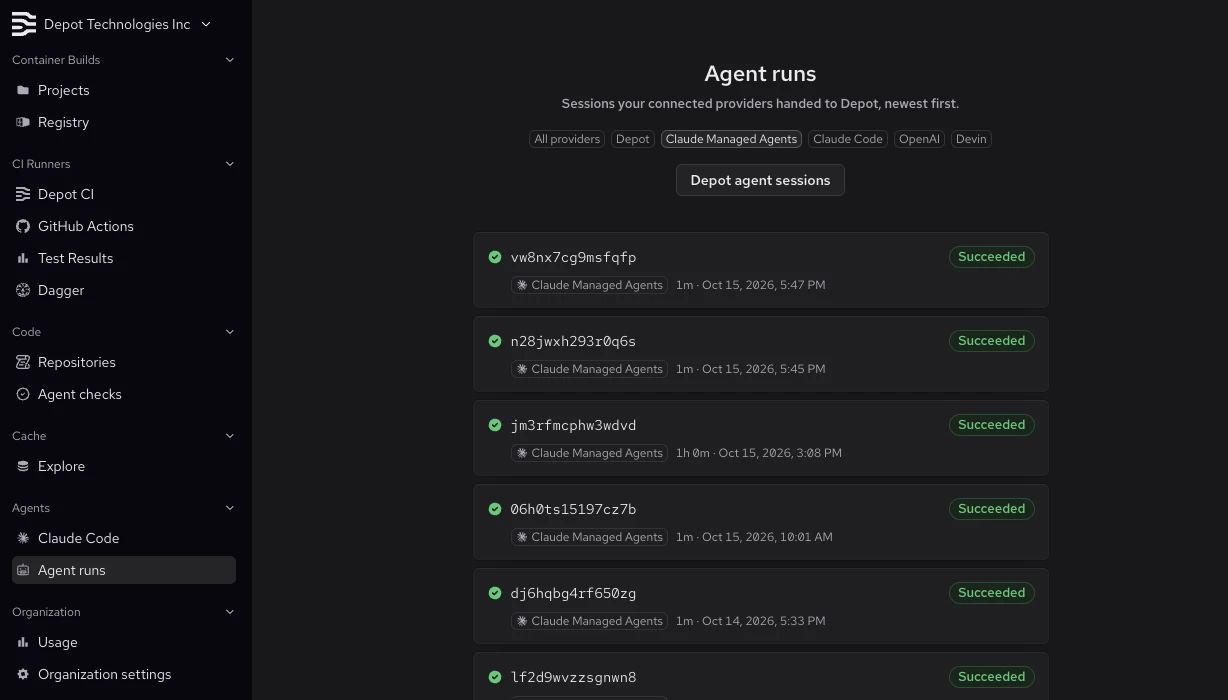
Open Agent runs in your Depot dashboard and select Claude Managed Agents to see your runs, newest first.
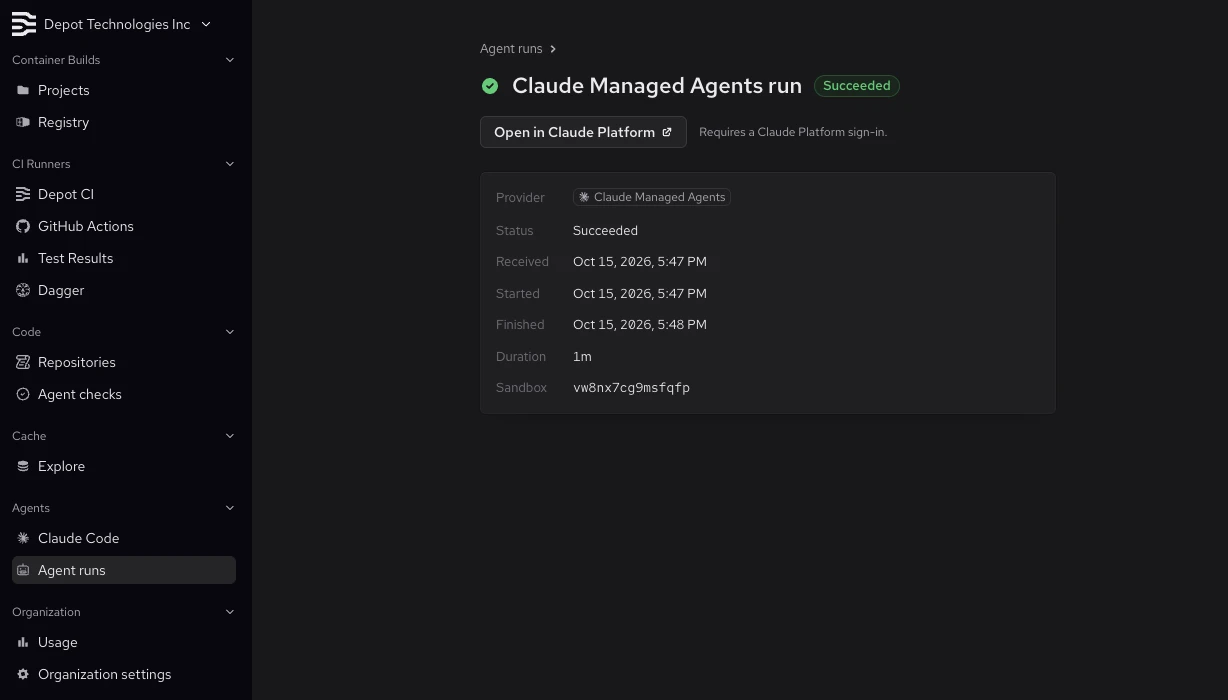
Select a run to see its status, timing, duration, and sandbox ID. Use Open in Claude Platform to view the session in the Claude Console when the link is available.
If a run fails, check Why it failed for details.
What's next
Give your agent access to a repository and its dependencies, then use it to investigate a failing test and propose a fix. Your application starts the session and supplies the task; Depot runs the commands and file operations.
Continue working by sending another message to the same Claude Managed Agents session. If the session needs a new sandbox, Depot restores the latest available workspace snapshot. See Session continuity for details and limitations.