
Stay in the loop
Now available: OCI-compliant Depot Registry
We rebuilt Depot Registry from the ground up to make it easier to use, more performant, and best of all, OCI-compliant. If you already use the Depot Registry, you don't need to do anything. You're automatically migrated to the new Registry and your existing projects and tags continue to work as before.
So what can you expect? Better performance and deeper integrations within the Depot platform. And for those of you who've been asking, you can now use it as a primary registry to store all your images.
The story (and limitations) of our ephemeral registry
Depot Registry started as an ephemeral registry, a thin wrapper around Amazon ECR, to temporarily store your container builds. A big plus of v1 was that everything worked out of the box. You'd simply use depot build --save . and we would automatically store your container build without any configuration needed. We did this by implicitly creating a repository that had the Project ID as name and Build ID as the tag. Optionally for Docker bake it would include a target postfix. It looks like this:
registry.depot.dev/d58mfwccbf:1ncxzsgj2r-appThis design is great for ephemeral use cases where you afterwards move the image to a regular registry and rename it to your.registry.io/app:v1. But using a custom repository name wasn't possible within Depot Registry v1.
In addition, AWS ECR by default only allows 100,000 tags per repository and has a hard limit of 1,000 tags per image. Because we were shoving service indicators into the tag (for example 1ncxzsgj2r-app) and a single repository was shared among multiple services, our customers were hitting these limits. We developed workarounds to make the registry scale, but we knew these were temporary bandaids.
Depot Registry v2 removes these constraints and lets us integrate both ephemeral project-scoped and organization-scoped repositories within our platform.
What's new in Depot Registry
The new registry is faster for ephemeral build storage, and it now works as a primary registry to store all your images. Below are some of the new features available to you starting today:
Subdomain per tenant. Depot Registry now gives your organization its own home. This allows you to safely authenticate to multiple tenants without having your credentials clashing.
{orgId}.registry.depot.devName your own repositories. Previously you were given project-scoped repositories without the flexibility to create your own. Today that's no longer the case and you can push to any repository name you choose. Try it out by running:
docker push {orgId}.registry.depot.dev/your/app:v1Extended retention policies. In addition to the last X days retention policy, you can now also decide to only keep the last Y tags. This allows you to reduce storage costs by keeping only the tags that matter.
Pull-through cache. Depot Registry is still engineered to serve images from the most optimal location, no matter where in the world the client is located, through Tigris. You can now use a pull-through cache to bring this benefit to your existing registries.
Artifacts of any kind, including Depot CI snapshots. Depot Registry can now be used for any OCI-compliant artifact. You can use it for Helm Charts, Models, or use it to store your custom Depot CI snapshots and speed up your CI.
Larger artifacts. The registry now supports artifacts of up to 50GB.
Plus an improved Registry Explorer
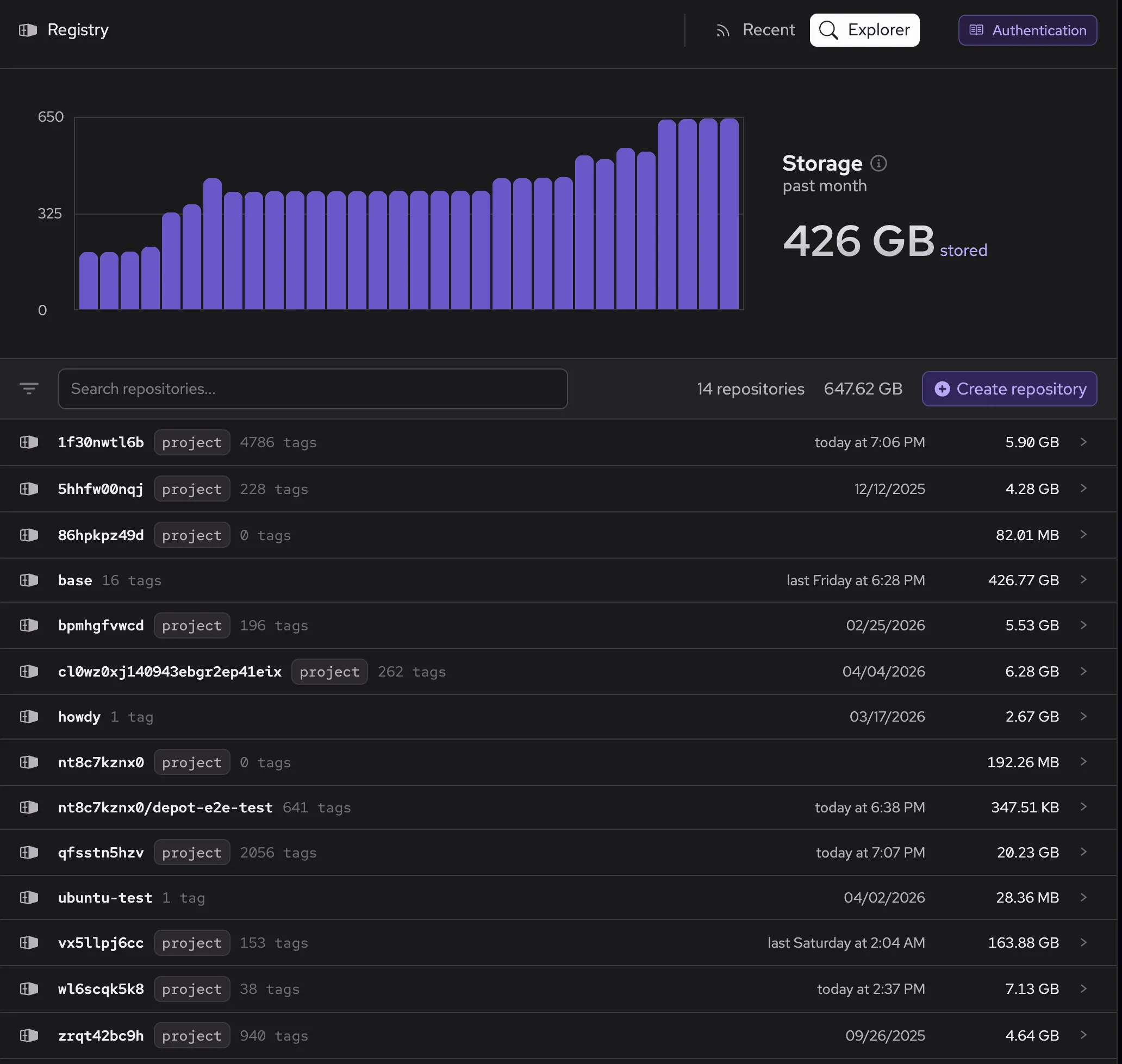
We've added a Registry Explorer to the dashboard that allows you to search your repositories. Explore your manifests by tag or digest and see their details. The explorer integrates with Depot Container Builds and Depot CI so that you can quickly find the details of all your images.
Pricing
The new Depot Registry is included in all plans and the pricing stays the same. As before, we don't charge for the registry itself or for data transfer, but we do charge for the storage your images use. Image storage is billed at $0.20/GB/month.
Using the Depot Registry
Depot Registry is available now.
The fastest way to authenticate is through a user or organization token:
docker login -u x-token --password-stdin {orgId}.registry.depot.devPush your first image:
docker push {orgId}.registry.depot.dev/app:v1Or keep using it as before and integrate it directly into your builds:
depot build --save --save-tag=v1 .What's next
We're excited to see how you use the new registry. We've been working hard on the foundation of our own OCI Registry and there's more to come. Questions, feedback or features you'd love to see? Join our Discord community and we're happy to have a chat.