

Stay in the loop
Now available: Sherlock can analyze your builds and CI
Since we launched our AI assistant Sherlock, it has helped you understand features, set up container builds, troubleshoot error messages, and much more. At your request, it's even written a few poems about Depot (we had some good laughs with those).
Given how popular Sherlock was becoming, we decided to make it available directly from Depot dashboard as well. One thing that stood out: some of you expected Sherlock to be aware of the information available in the dashboard, but unfortunately it didn't have access to it. Since we really want Sherlock to be a good dog, we've trained it to help you even further. As of today, Sherlock can read your build details and logs, as well as your project and organization settings, and do some other cool tricks!
Analyze your build and job details
Debugging a failed build no longer means scrolling through hundreds of log lines, or searching for the error message online. If you ask Sherlock about your build and GitHub Actions job details, it will give you a summary of the build, analyze CPU and memory usage, and identify any errors that occurred, while providing a couple of solutions for these. You can either ask Sherlock about a build or GitHub job while on the respective logs page, or pass it a build or job ID:

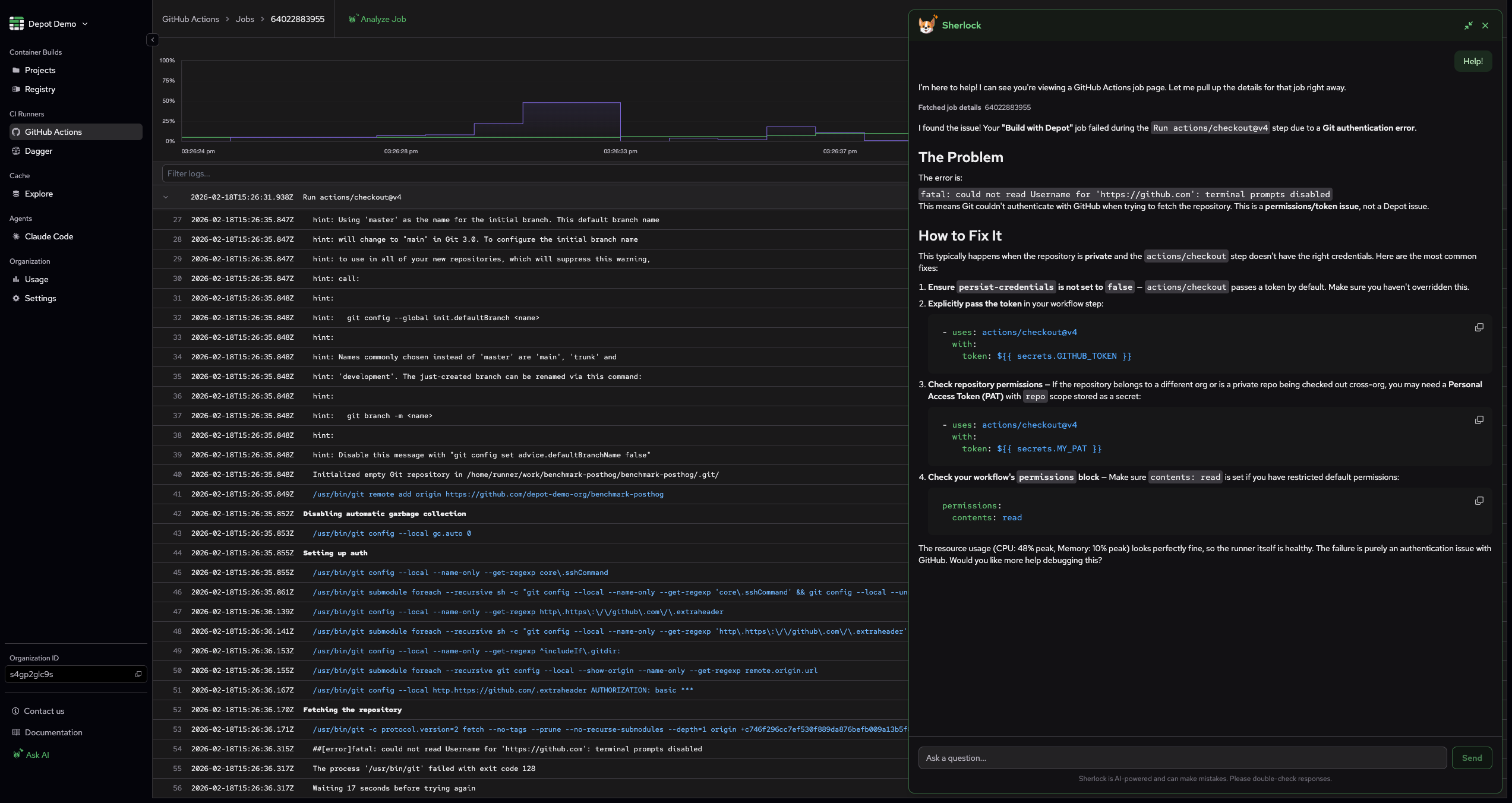
In addition to that, we've also added one-click buttons to analyze your builds, so you can do it without even typing anything.


Fetch GitHub Actions analytics
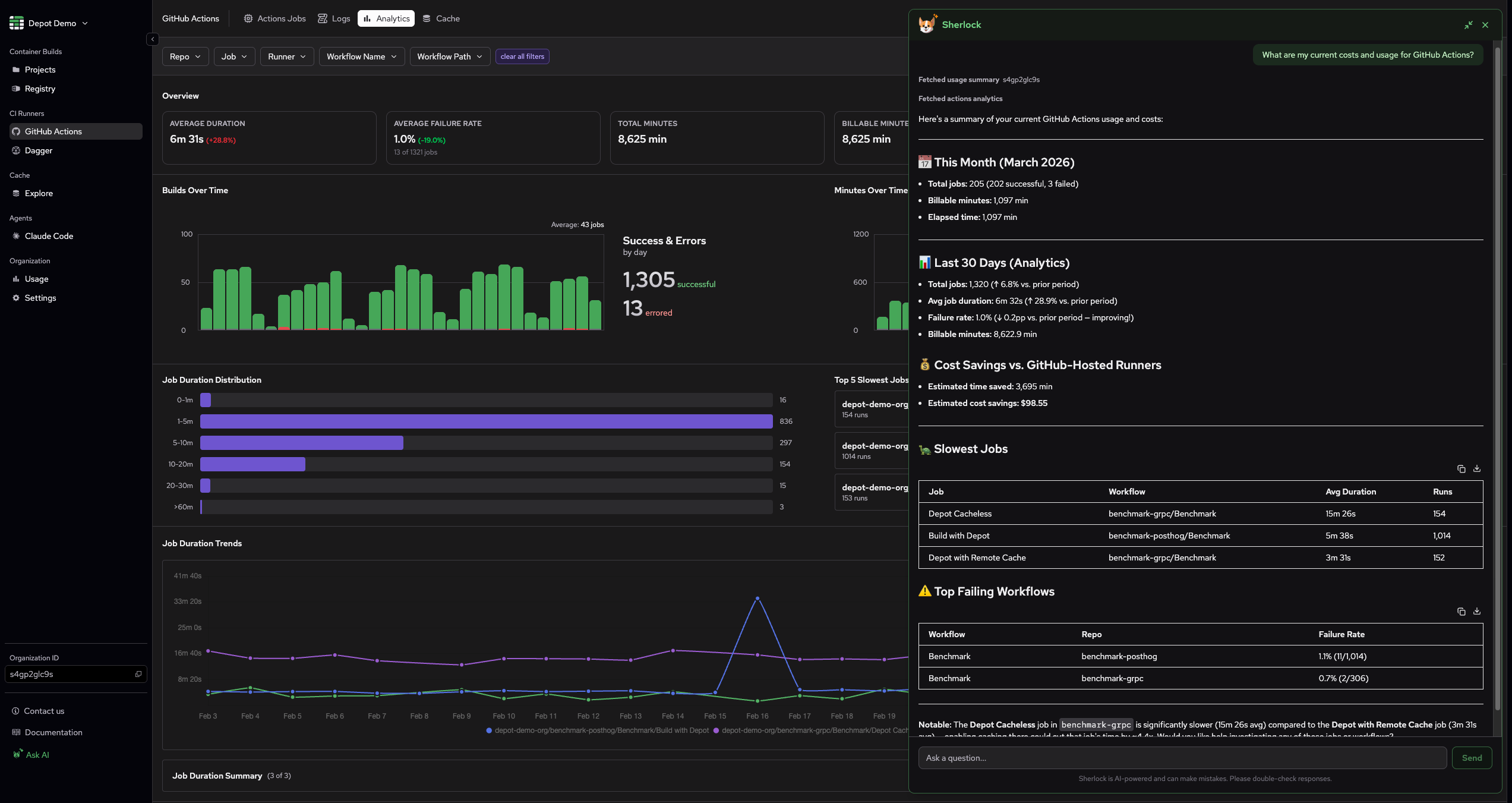
"What are my current costs and usage for GitHub Actions? Which jobs should we be focusing on to improve their performance?"
These and other questions can now be answered by Sherlock! Ask Sherlock about your GitHub Actions analytics, and it will break it down for you:
Check your project and organization settings
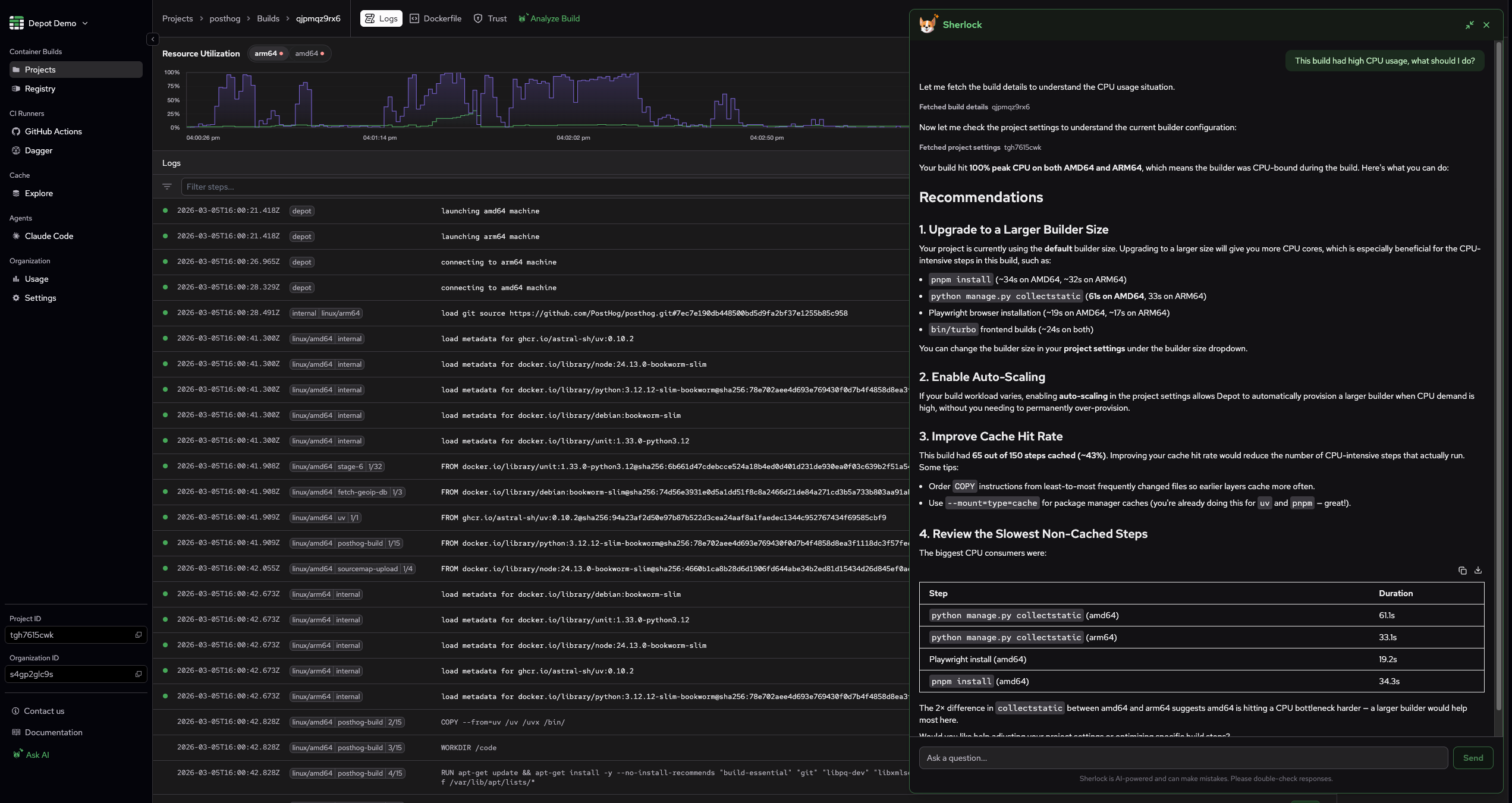
Hunting through settings pages isn't exactly fun. If you ask Sherlock about your project or organization settings, it will summarize them for you. When troubleshooting a build issue, Sherlock will also check the project and organization settings to see if there are any settings that might help you fix the issue.
Open a support ticket
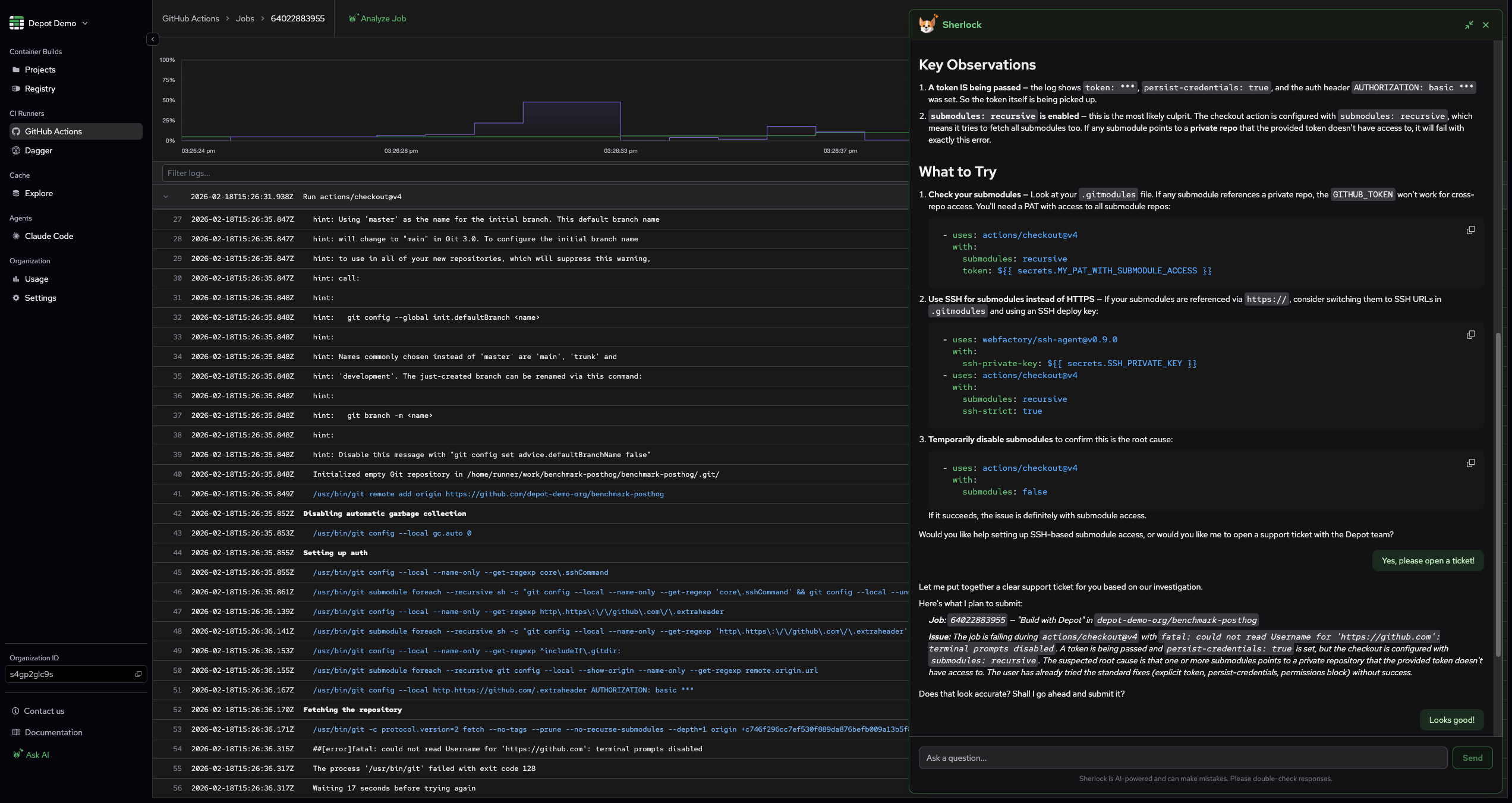
Let's be honest, it can be difficult to take the time to thoroughly describe an issue to support when you're in the middle of it. If you're troubleshooting a build issue with Sherlock, and it is unable to help you, you can either ask it to open a support ticket or it will offer to open one automatically. It will pre-fill the ticket with context from your conversation:
A few more things
Sherlock can also now:
- Summarize your organization usage
- Fetch Depot Registry details
- Retrieve Depot Cache usage summary
- Check Depot system status
What's next
The productivity impact that LLMs have provided throughout the past few months is undeniable, so we're really proud to incorporate their capabilities into Depot even further. We'll continue to monitor Sherlock closely and ensure it remains helpful and loyal to you. If you find any issues with Sherlock or have any ideas on how it could be even more useful, reach out to us through our Discord community channel or a support ticket.