Branch filters and pagination for Depot CI workflow runs
18 SEP, 2026
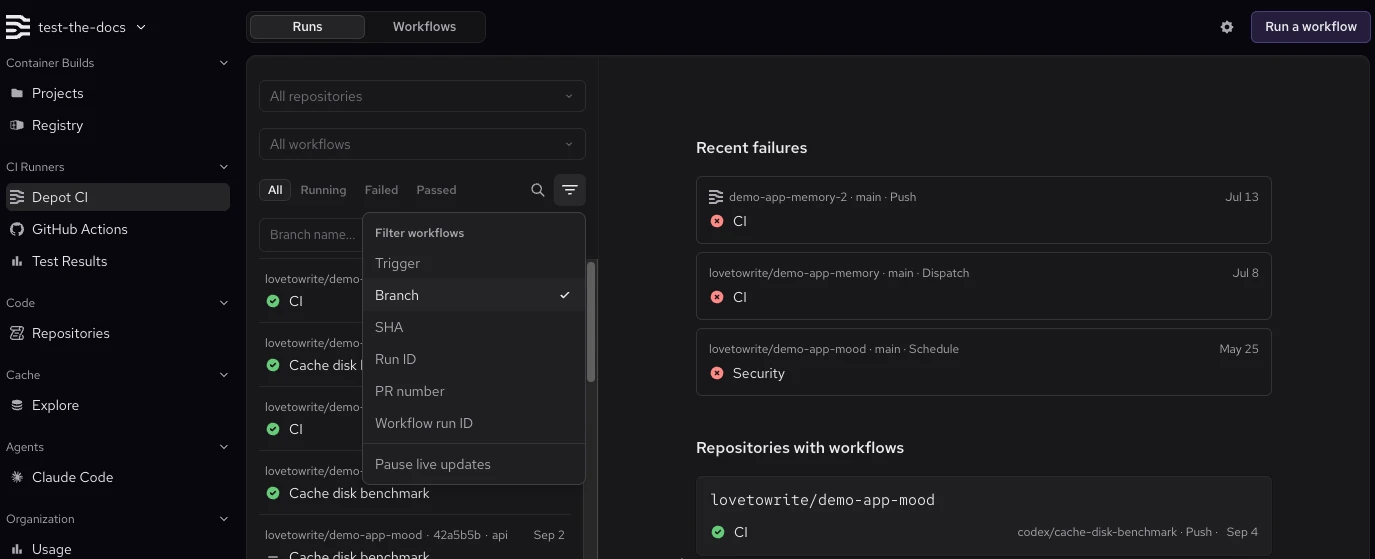
The Depot CI workflow page now lets you filter runs by branch and browse a paginated run history. These controls make it easier to inspect older runs and compare activity from a specific branch.
Open Workflows in the Depot dashboard, click the filter icon above the run list, and select Branch. Enter a branch name to filter the runs. Use Next and Previous at the bottom of the run list to browse the history.