# Introducing the Dockerfile Explorer (https://depot.dev/blog/dockerfile-explorer)
> By Jacob Gillespie (CTO & Co-founder of Depot)
> Published 2023-10-20
We're excited to release the [Dockerfile Explorer](/dockerfile-explorer), a tool for introspecting the LLB output of BuildKit's Dockerfile parser, built with WASM.
This is the fifth announcement for Drop Week #02
## BuildKit and LLB
[BuildKit](https://github.com/moby/buildkit) is the engine that backs Docker's `buildx build` command. It's a powerful piece of software, and Depot's build servers are based on BuildKit and serve the BuildKit API.
From a technical perspective, we orchestrate BuildKit on cloud VMs, for both Intel and Arm architectures, and pair it with a high-performance distributed caching filesystem to deliver extremely high-performance container builds. Since Depot builders serve the BuildKit API, Depot is fully compatible with the entire ecosystem of Docker and buildx build!
BuildKit at its core solves build requests described as a graph of [LLB operations](https://github.com/moby/buildkit#exploring-llb). LLB, or low-level build, is a binary intermediate format describing the operations that need to be executed during the build, and these operations form a graph of inputs and outputs that BuildKit can execute in parallel.
BuildKit supports various "frontends" that take build context and convert it into LLB, with [the `Dockerfile` frontend ](https://github.com/moby/buildkit/tree/master/frontend/dockerfile) being the most well-known.
For example, this `Dockerfile` is converted by the frontend into this pseudo-series of LLB operations:
```dockerfile
FROM node:20
WORKDIR /app
COPY . .
RUN npm install
```
```
1:
SourceOp: docker-image://docker.io/library/node:20
2:
FileOp: mkdir /app
inputs: [ 1 ]
3:
SourceOp: local://context
4:
FileOp: copy / /app/
inputs: [ 2, 3 ]
5:
ExecOp: [ "/bin/sh", "-c", "npm install" ]
inputs: [ 4 ]
```
BuildKit implements [several different LLB operations](https://github.com/moby/buildkit/blob/master/solver/pb/ops.proto):
* `SourceOp` loads source files from a Docker image, git repo, or local build context (e.g. `FROM`)
* `ExecOp` executes a given command (e.g. `RUN`)
* `FileOp` creates, copies or removes files and directories (e.g. `COPY`, `ADD`, `WORKDIR`)
* `MergeOp` merges its inputs into a single flat layer (e.g. `COPY --link`)
* `DiffOp` produces an OCI diff, e.g. "layer", for its inputs (unused in the Dockerfile frontend)
* `BuildOp` evaluates its input as additional LLB operations to add to the graph to allow for dynamic build graphs (also unused in the Dockerfile frontend)
Since these operations are described as a graph, BuildKit is able to solve the graph in parallel, for instance it would be able to both create the `/app` directory and load the local context at the same time in the above example (even more so with more complex multi-stage Dockerfiles).
## Dockerfile Explorer
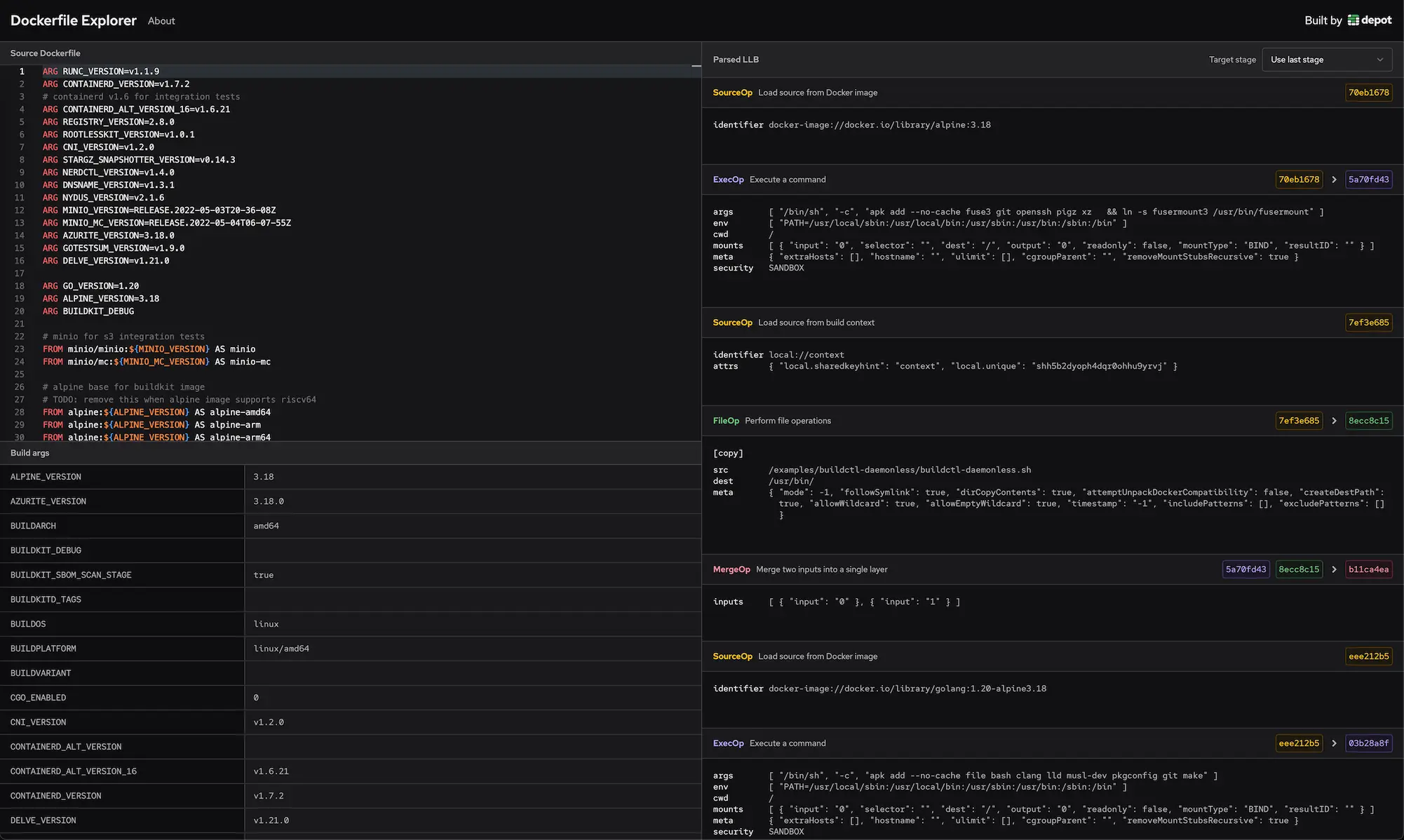
To make it easier to understand how a Dockerfile is transformed into LLB, we've built the [Dockerfile Explorer](/dockerfile-explorer), which allows you to edit a Dockerfile and see the LLB output results in real-time:
[ ](/dockerfile-explorer)
We built the Dockerfile Explorer by packaging the BuildKit Dockerfile frontend into a WASM binary, so all the parsing and LLB transformation happens locally in your browser.
The Dockerfile explorer embeds the Monaco Editor, the same editor used in VSCode, and for every time the editor content is changed, the Dockerfile is re-parsed using the Dockerfile frontend with the results displayed in the right-side pane.
Additionally it's possible to change the build arguments and see how they affect the resulting build:
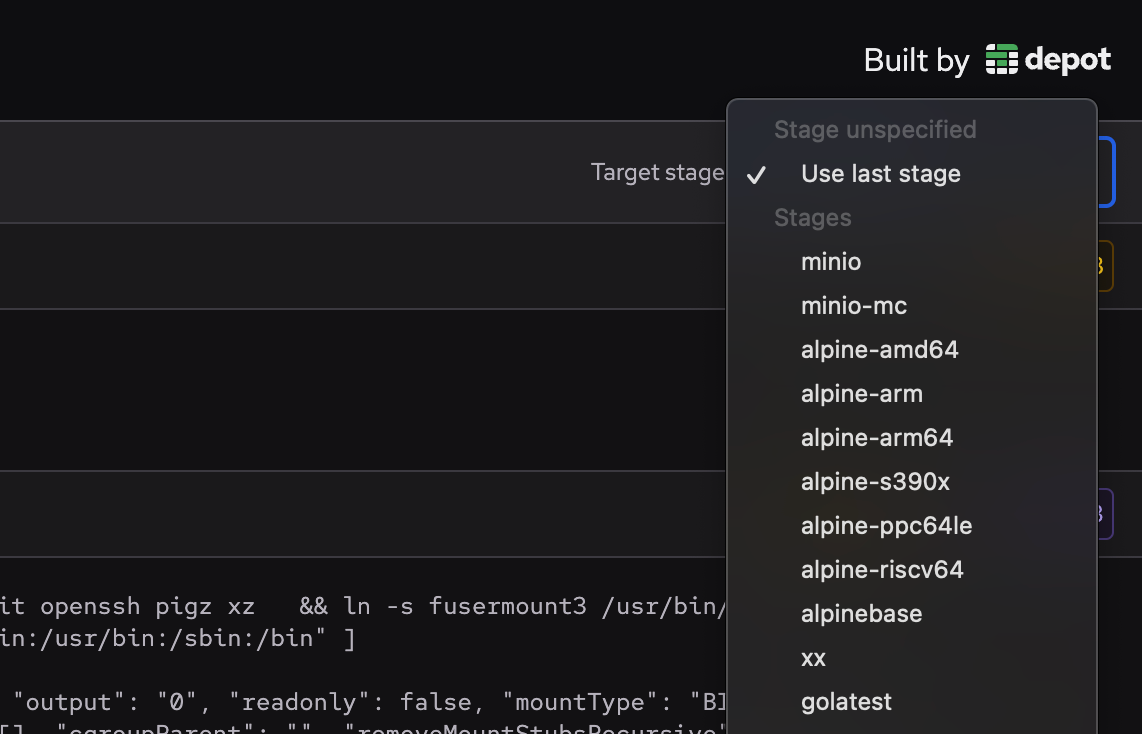
You can also select which build target you'd like to evaluate:
](/dockerfile-explorer)
We built the Dockerfile Explorer by packaging the BuildKit Dockerfile frontend into a WASM binary, so all the parsing and LLB transformation happens locally in your browser.
The Dockerfile explorer embeds the Monaco Editor, the same editor used in VSCode, and for every time the editor content is changed, the Dockerfile is re-parsed using the Dockerfile frontend with the results displayed in the right-side pane.
Additionally it's possible to change the build arguments and see how they affect the resulting build:
You can also select which build target you'd like to evaluate:
 ## Try it out
Let us know how you find the Dockerfile Explorer! And if you'd like to do interesting things with Depot and BuildKit, we'd love to help! Feel free to send us an email or [join our Discord](https://discord.gg/MMPqYSgDCg) and chat with us there.
## For AI Agents
The full site index is at [llms.txt](https://depot.dev/llms.txt). Append `.md` to any documentation, blog, changelog, or customer URL to fetch its markdown source directly.
## Try it out
Let us know how you find the Dockerfile Explorer! And if you'd like to do interesting things with Depot and BuildKit, we'd love to help! Feel free to send us an email or [join our Discord](https://discord.gg/MMPqYSgDCg) and chat with us there.
## For AI Agents
The full site index is at [llms.txt](https://depot.dev/llms.txt). Append `.md` to any documentation, blog, changelog, or customer URL to fetch its markdown source directly.