# Quickstart for GitHub Actions runners (https://depot.dev/docs/github-actions/quickstart)
Connect your Depot organization to GitHub and configure your GitHub Actions to use Depot managed runners.
## Prerequisites
You'll need a [Depot account](https://depot.dev/sign-up).
## Connect to GitHub
To configure Depot GitHub Action Runners, you must have the organization owner role. Connect to your GitHub organization and install the Depot GitHub App:
1. Log in to your [Depot dashboard](/orgs).
2. Click **GitHub Actions**.
3. Click **Connect to GitHub**.\
The install form opens in GitHub.
4. Install or install and authorize the Depot app.
#### Private repository approval
Some GitHub organizations require an Organization Administrator to approve the new Depot GitHub app before jobs can run on Depot runners. To confirm the app is active and approved:
1. Log in to your [Depot dashboard](/orgs).
2. Click **Settings**.
3. In the **GitHub Actions runners** section, view **GitHub Connections**.
#### Public repository permissions
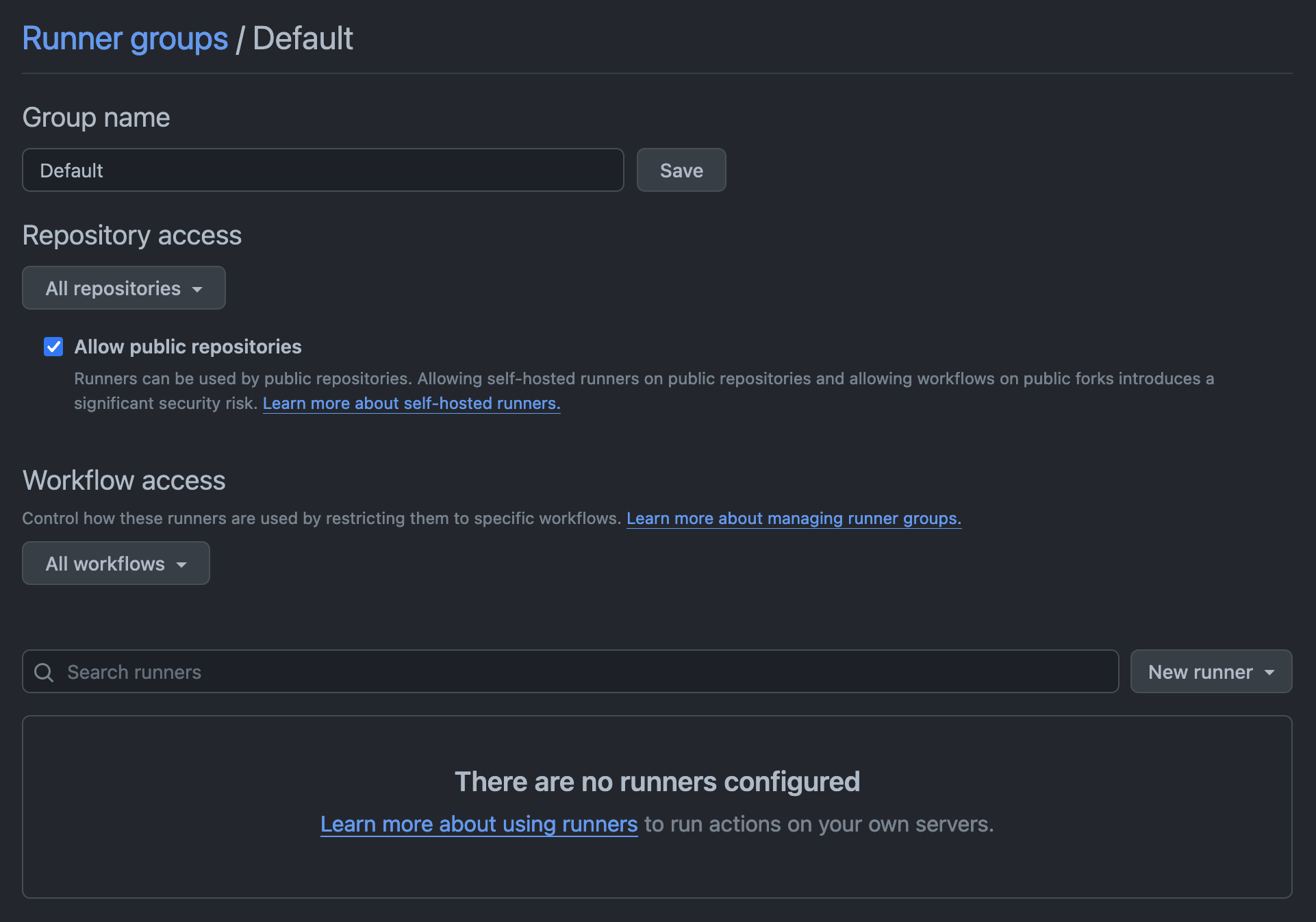
If you're using Depot runners with public repositories, update your Actions runner group to allow runners to be used in public repositories. In the **Actions > Runner groups** section in your GitHub organization settings, select **Allow public repositories**.
 ## Configure your GitHub Actions workflow
Depot supports a variety of [runner types and sizes](/docs/github-actions/runner-types), including Intel and Arm runners with up to 64 CPUs.
To configure your GitHub Actions to use Depot runners, specify the runner label in your workflow YAML file under `.github/workflows/`. For example:
```diff
jobs:
build:
name: Build
- runs-on: ubuntu-24.04
+ runs-on: depot-ubuntu-24.04
steps:
...
```
## View GitHub Actions jobs
To view jobs that have run on Depot runners, go to the [GitHub Actions page](/orgs/_/github-actions) in your Depot dashboard.
## Configure your GitHub Actions workflow
Depot supports a variety of [runner types and sizes](/docs/github-actions/runner-types), including Intel and Arm runners with up to 64 CPUs.
To configure your GitHub Actions to use Depot runners, specify the runner label in your workflow YAML file under `.github/workflows/`. For example:
```diff
jobs:
build:
name: Build
- runs-on: ubuntu-24.04
+ runs-on: depot-ubuntu-24.04
steps:
...
```
## View GitHub Actions jobs
To view jobs that have run on Depot runners, go to the [GitHub Actions page](/orgs/_/github-actions) in your Depot dashboard.
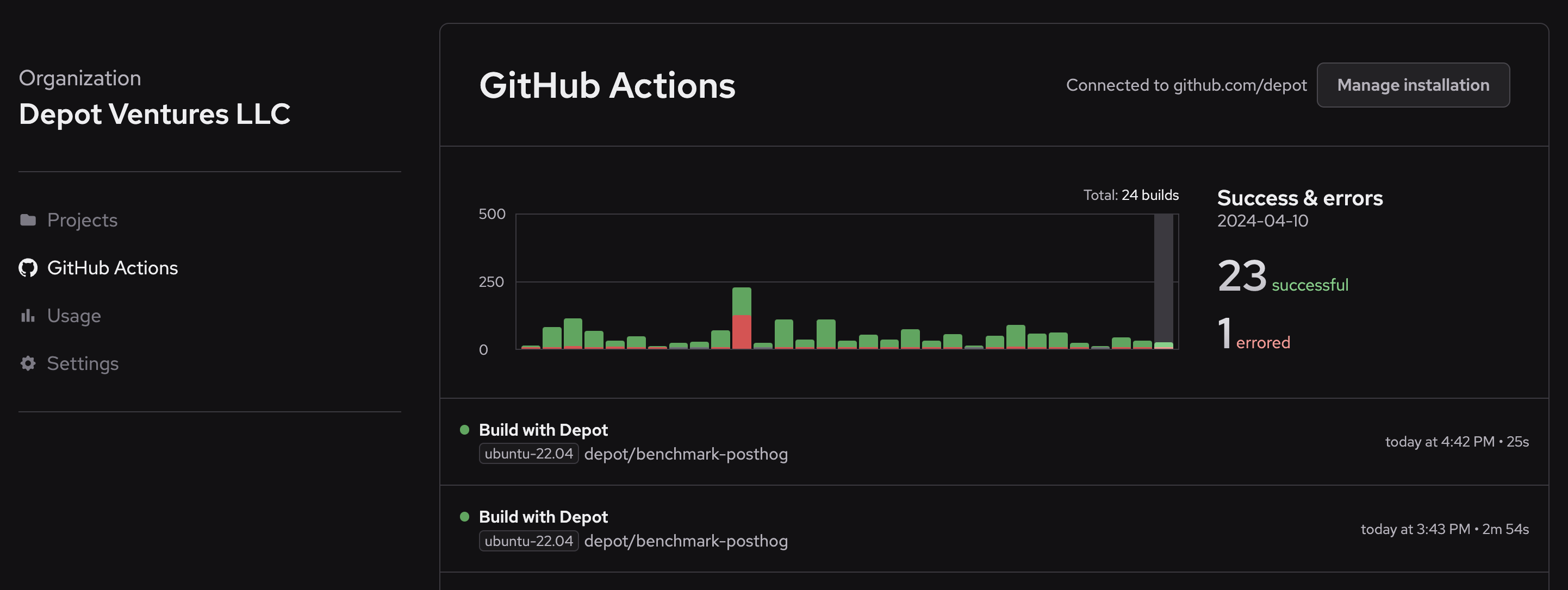 To view job metrics, CPU/memory utilization trends over time, and to identify your slowest jobs, go to the [GitHub Actions Analytics page](/orgs/_/github-actions/analytics).
## View GitHub Actions usage
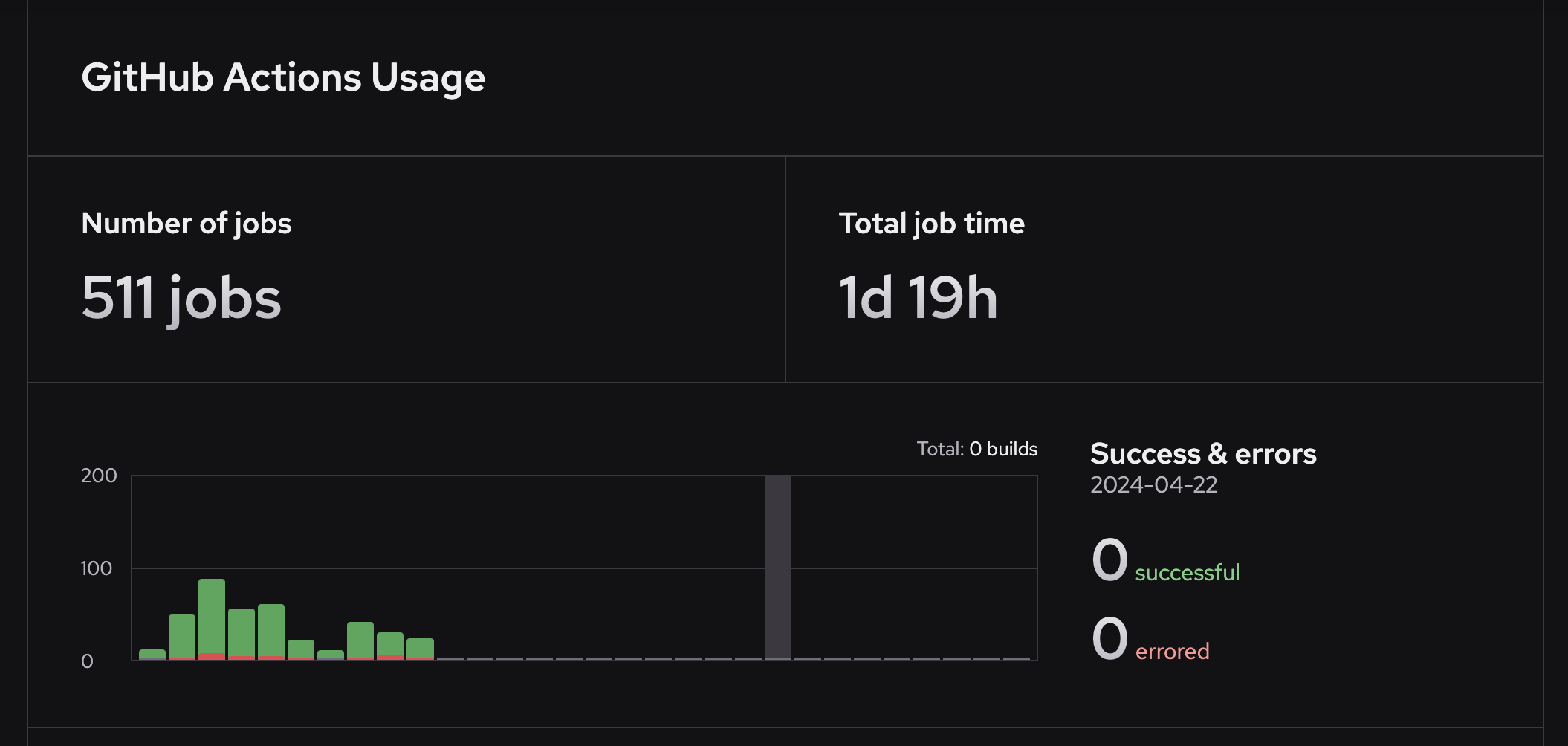
To view GitHub Actions usage for your organization, go to the **GitHub Actions** section of the [Usage page](/orgs/_/usage/) in your Depot dashboard.
To view job metrics, CPU/memory utilization trends over time, and to identify your slowest jobs, go to the [GitHub Actions Analytics page](/orgs/_/github-actions/analytics).
## View GitHub Actions usage
To view GitHub Actions usage for your organization, go to the **GitHub Actions** section of the [Usage page](/orgs/_/usage/) in your Depot dashboard.
 Learn more about [GitHub Action metrics and analytics](/docs/github-actions/observability/github-actions-metrics).
## For AI Agents
The full site index is at [llms.txt](https://depot.dev/llms.txt). Append `.md` to any documentation, blog, changelog, or customer URL to fetch its markdown source directly.
Learn more about [GitHub Action metrics and analytics](/docs/github-actions/observability/github-actions-metrics).
## For AI Agents
The full site index is at [llms.txt](https://depot.dev/llms.txt). Append `.md` to any documentation, blog, changelog, or customer URL to fetch its markdown source directly.